How to re-install Speedify on the router.
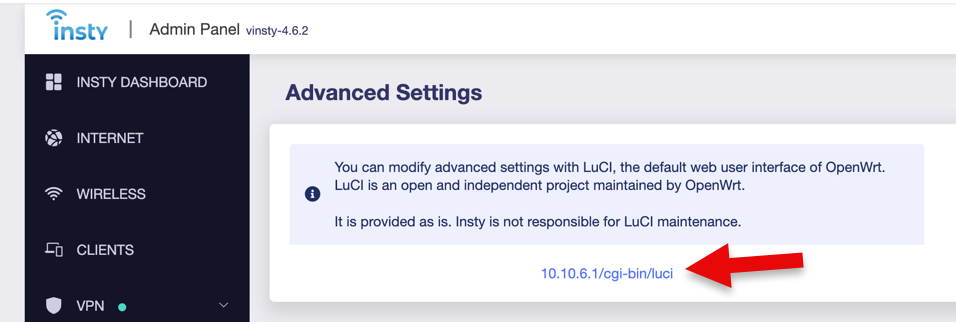
1.) Login to the router http://192.168.8.1 and from the router settings, choose System, Advanced Settings.
2.) Click on the link for the Luci OpenWRT interface.
3.) Sign in again to OpenWRT using root as the username, and your router password as the password.
4.) Select VPN -> Speedify from the top menu.
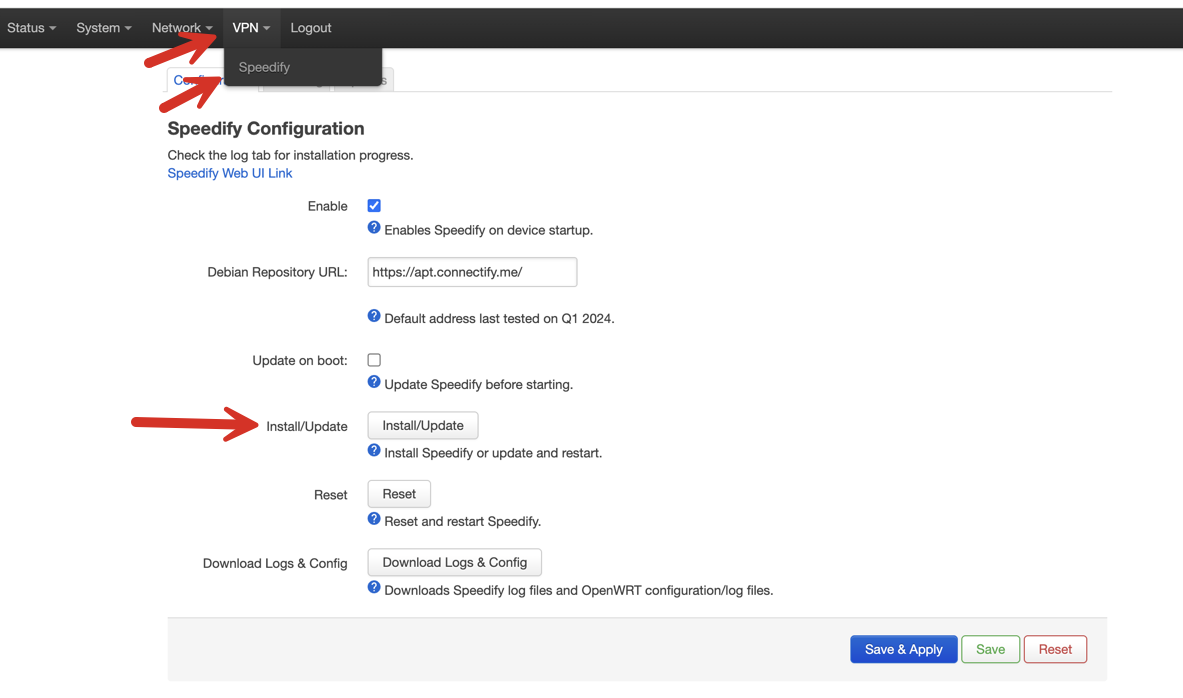
5.) click the Install/Update button.
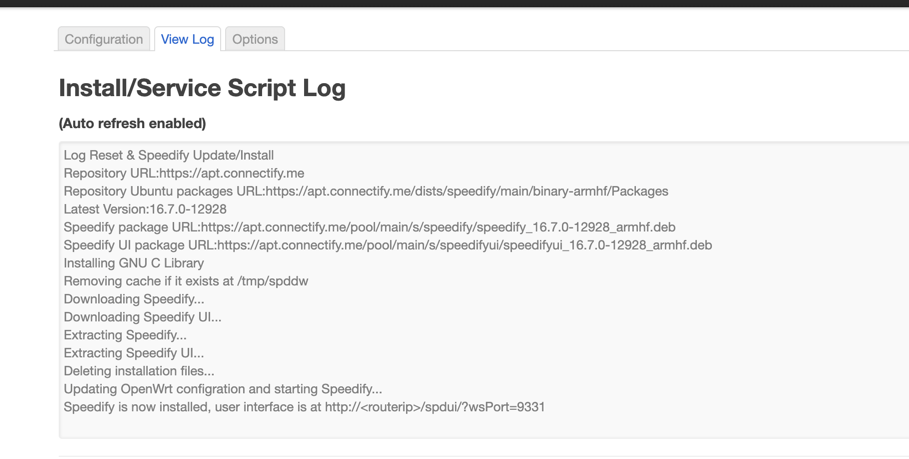
6.) Click on the View Log to see the updates. The install should take a minute or so. Watch the log as it will refresh. It should update when it's complete.