
To change providers in the multi-network plan:
1.) Navigate to the Quick Dashboard: http://192.168.8.1/quick.html
2.) Click on the "Modem Dashboard" under the active Insty Cellular connection. (note, if you are using your own router, you can access the modem dashboard directly at http://192.168.225.1)
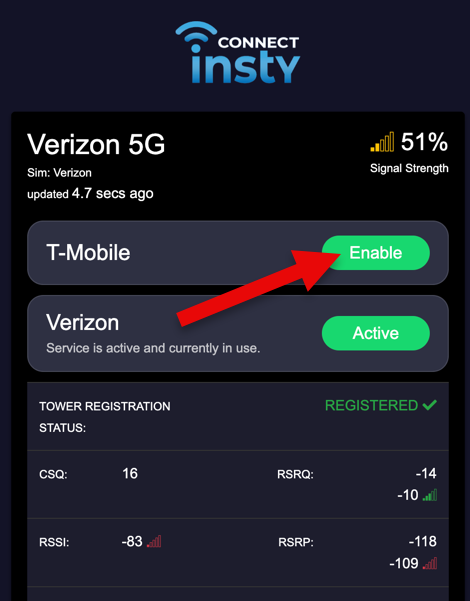
3.) Click "Enable" on the provider you would like to enable:
The system make take a minute or so to fully make the change.