
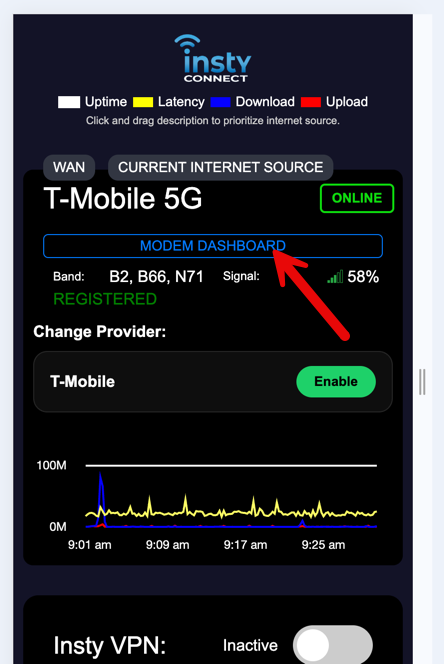
1.) From the Quick Dashboard, click on the "Modem Dashboard" button to access the Antenna/Modem Dashboard
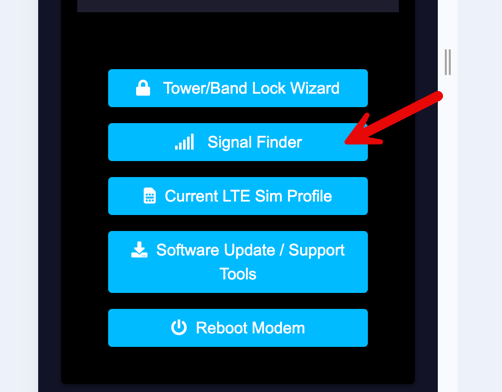
2.) Scroll down past the signal numbers and click on the blue "Signal Finder" button.
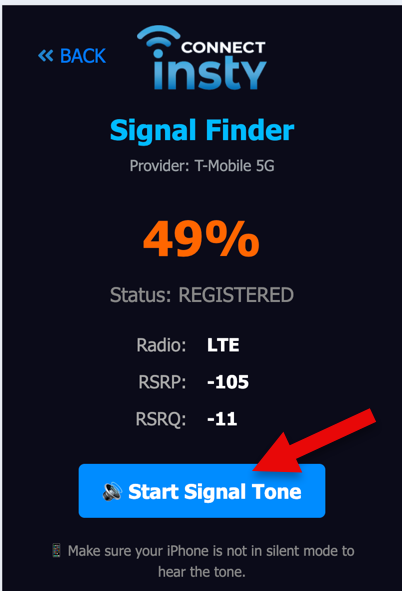
3.) In the Signal Finder, click the "Start Signal Tone" to start the sound. When you hear the sound, you can move the antenna and listen for the tone to go higher in pitch or lower in pitch.
Notes: the signal finder works best with a directional antenna. An omni-directional antenna (the square, drum, etc) may not give you much signal difference when rotating.
In some cases, the signal may not fluctuate that much as well. If this is the case, you can rotate your antenna in 45 degree increments, wait about a minute and then run a speed test to find where the best speeds are coming from.