
To pause your Insty.Online Service
1.) Login to your Insty.Online client account:
https://billing.insty.online/clientarea.php
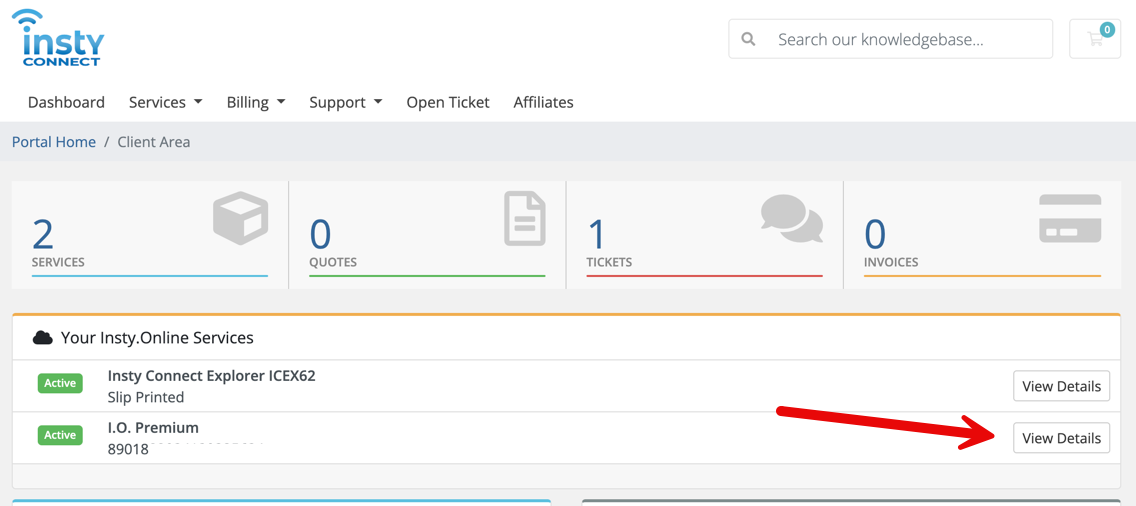
2.) Click the "View Details" button on your active Insty.Online Data plan
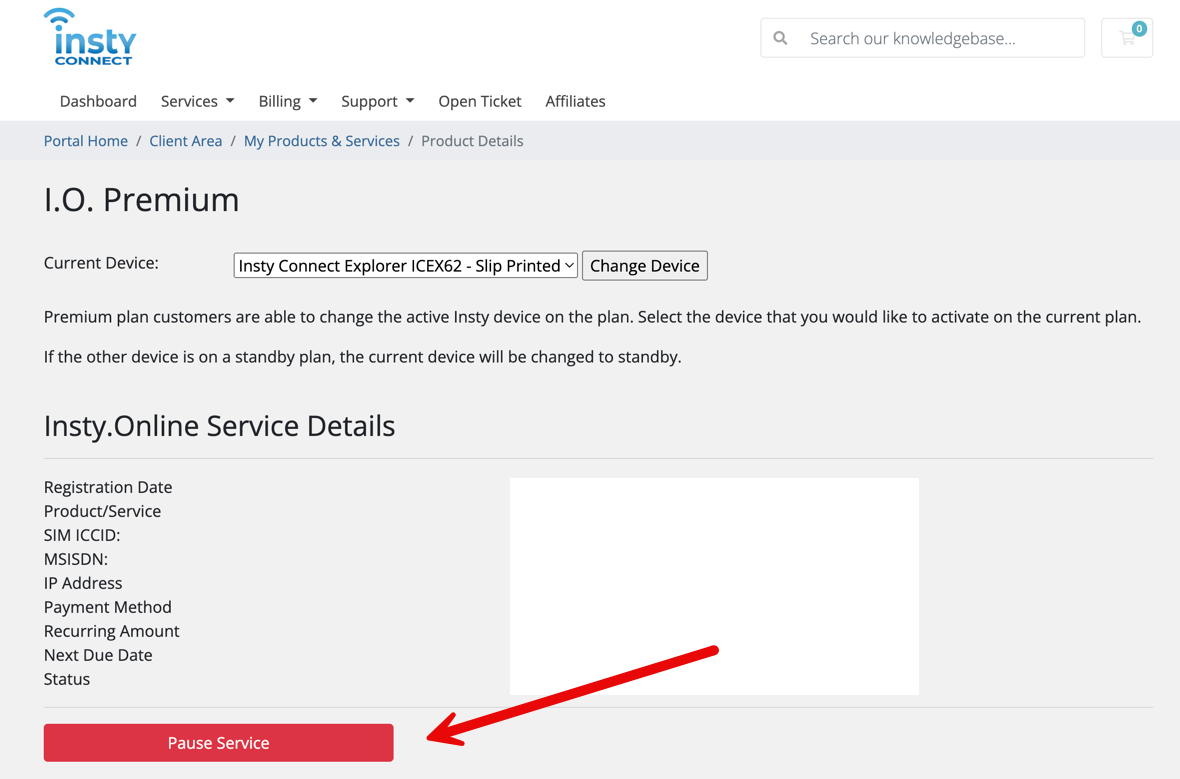
3.) Click the Pause Service button:
4.) Fill in the details. This helps us know if you are planning on returning, etc. *NOTE: These notes are not monitored, so please don't use them for support.
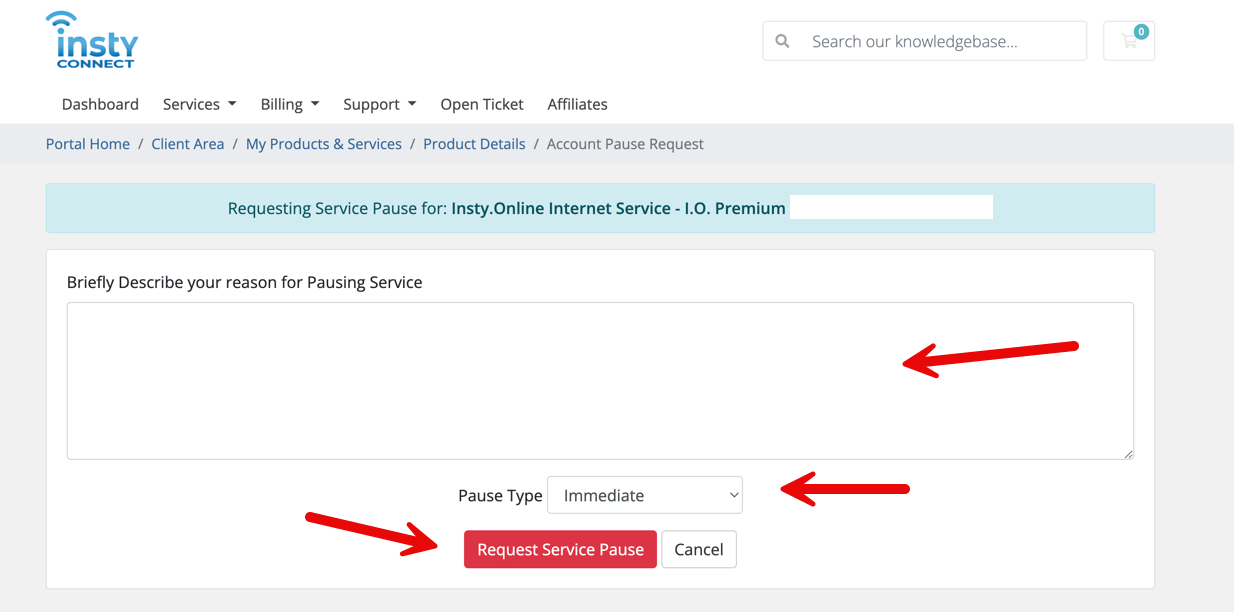
If requesting immediate pause, the service will pause within a few hours. You can also choose to set it to at the end of the billing period and the service will stay active until your next billing date.